Solar · Battery · Grid

Per-circuit energy costs, accounting for solar and battery.

Corrente reads circuit-level usage from your Basis switchboard and factors in the solar and battery, for a clear picture of your energy costs.

Join the TestFlight beta Beta · iOS 18 · Free while testing
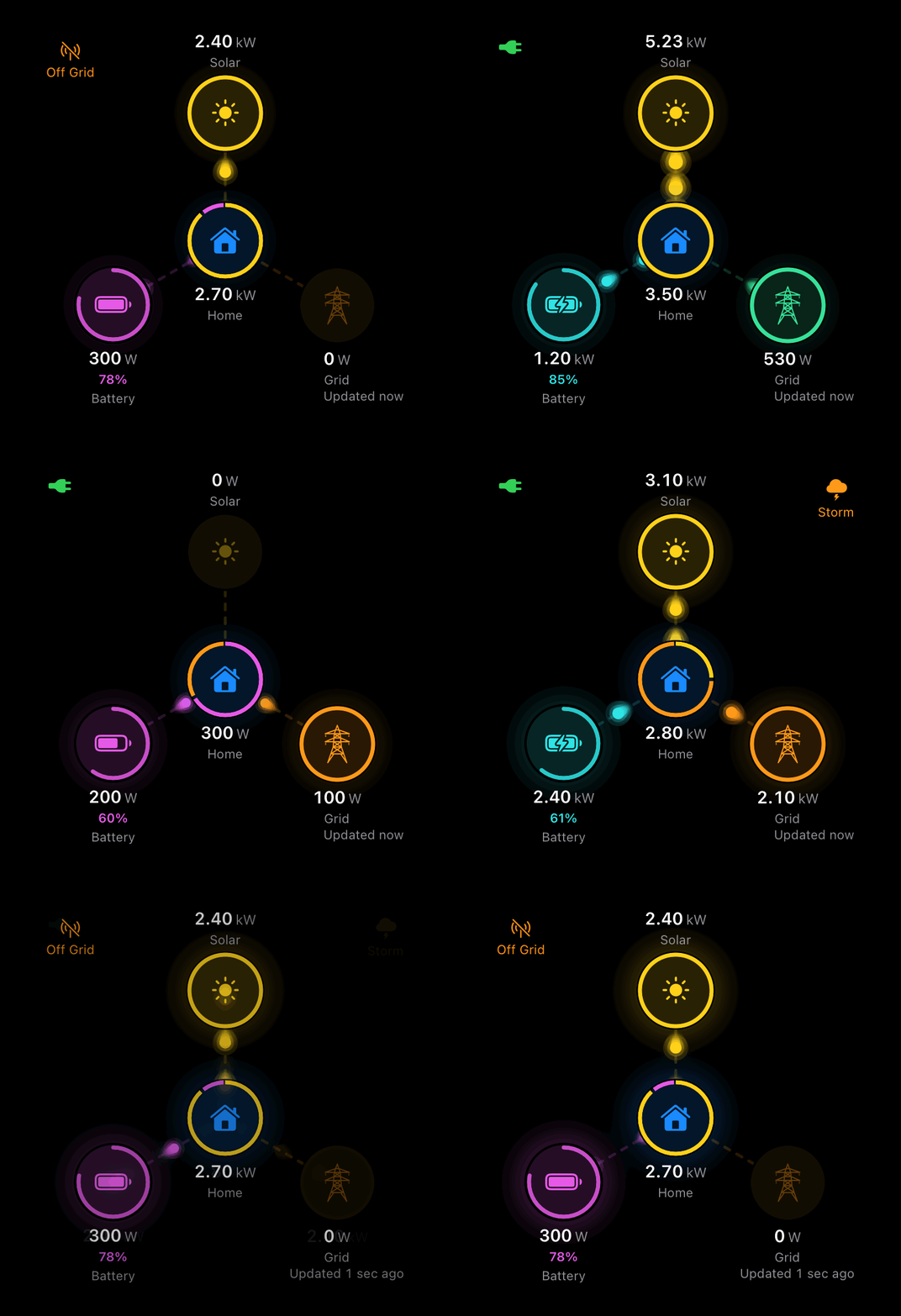
Corrente's live energy view — solar, battery, grid, and home connected in an animated hub-and-spoke flow.
Why it's different

Costs calculated from real usage & generation.

Using the per-circuit usage the Basis switchboard provides, Corrente then allocates solar generation and battery output to each circuit so you get a better understanding of its cost, regardless of whether it's running on peak, shoulder, or off-peak power.

How circuit costs work →

  • Per-circuit usage straight from the Basis switchboard
  • Solar & battery allocated per circuit before working out what the grid actually charges
  • Retail plan rates across peak, shoulder, and off-peak
  • Export credits & amortised costs for solar and battery capital
E.G. one circuit, one day, at grid rates$8.55
=
On your bill$4.96
+
Solar & battery savings$3.58
What it does

Features

Home Dashboard

A live, animated diagram of power moving between solar, battery, grid, and home — with your switchboard summary and battery charge and state right below, plus a grid status indicator.

Energy History

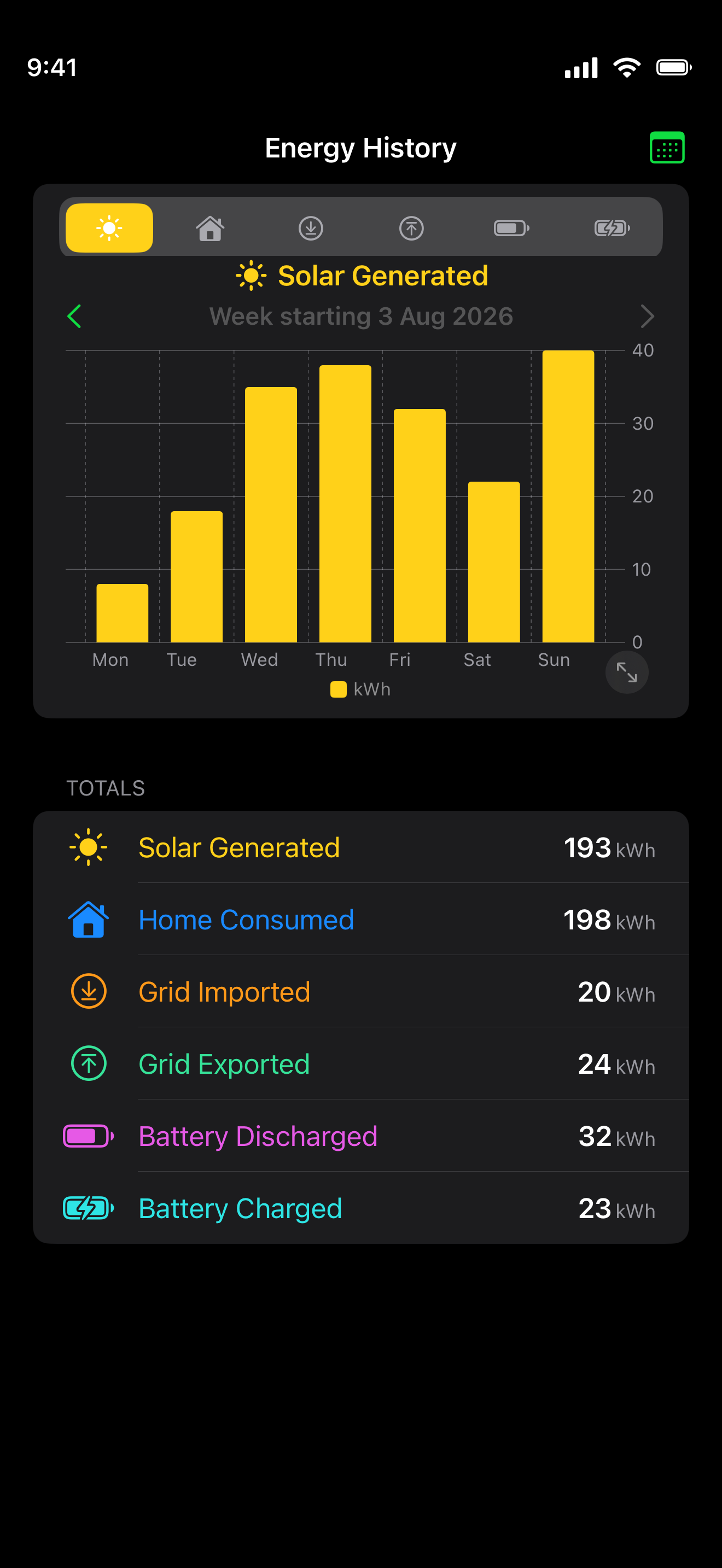
Solar, home load, battery cycles, and grid import and export over time. Switch between hourly, daily, and monthly views, and step back through your history.

Energy Costs

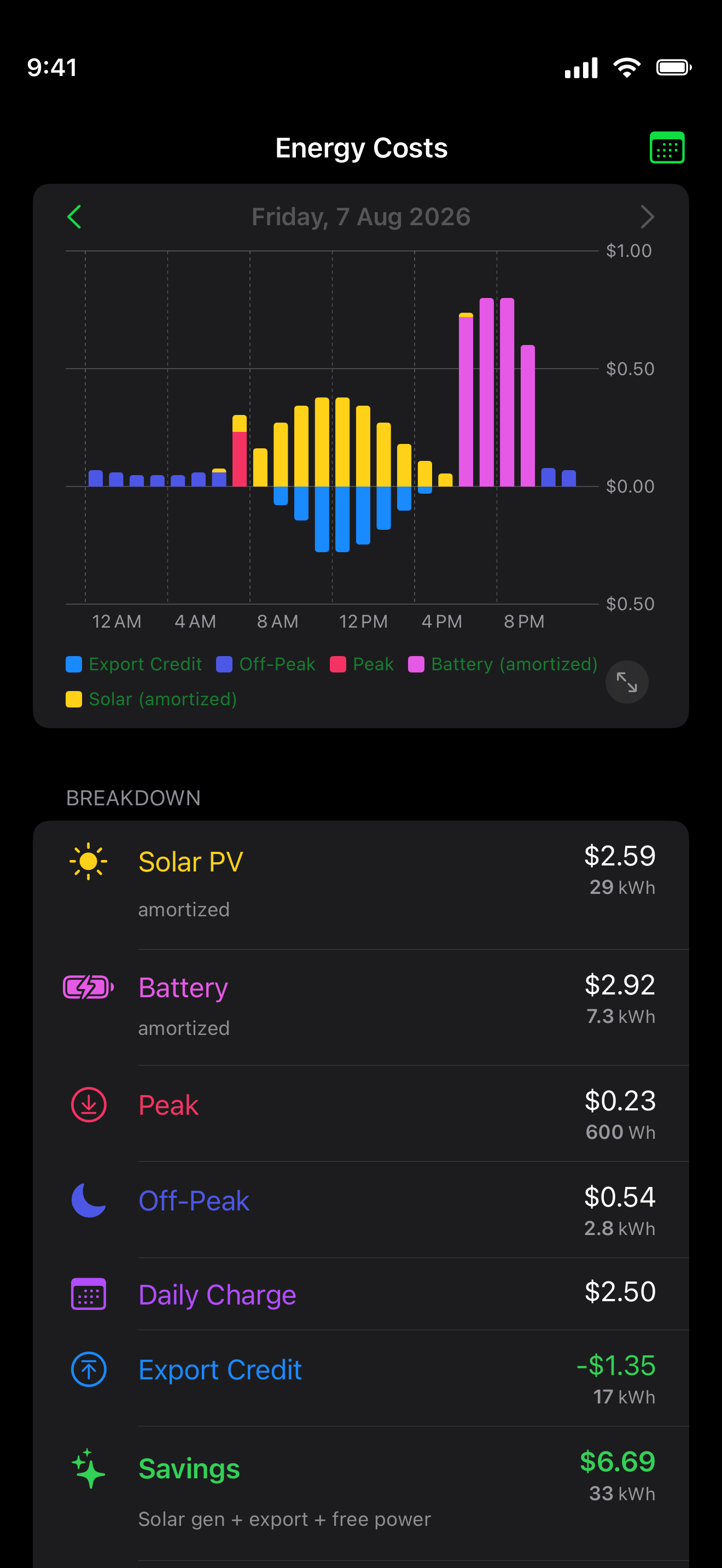
A stacked view of exactly what makes up your spend — peak, shoulder, and off-peak tiers priced correctly, with what appears on your bill alongside the real cost.

Savings & Solar ROI

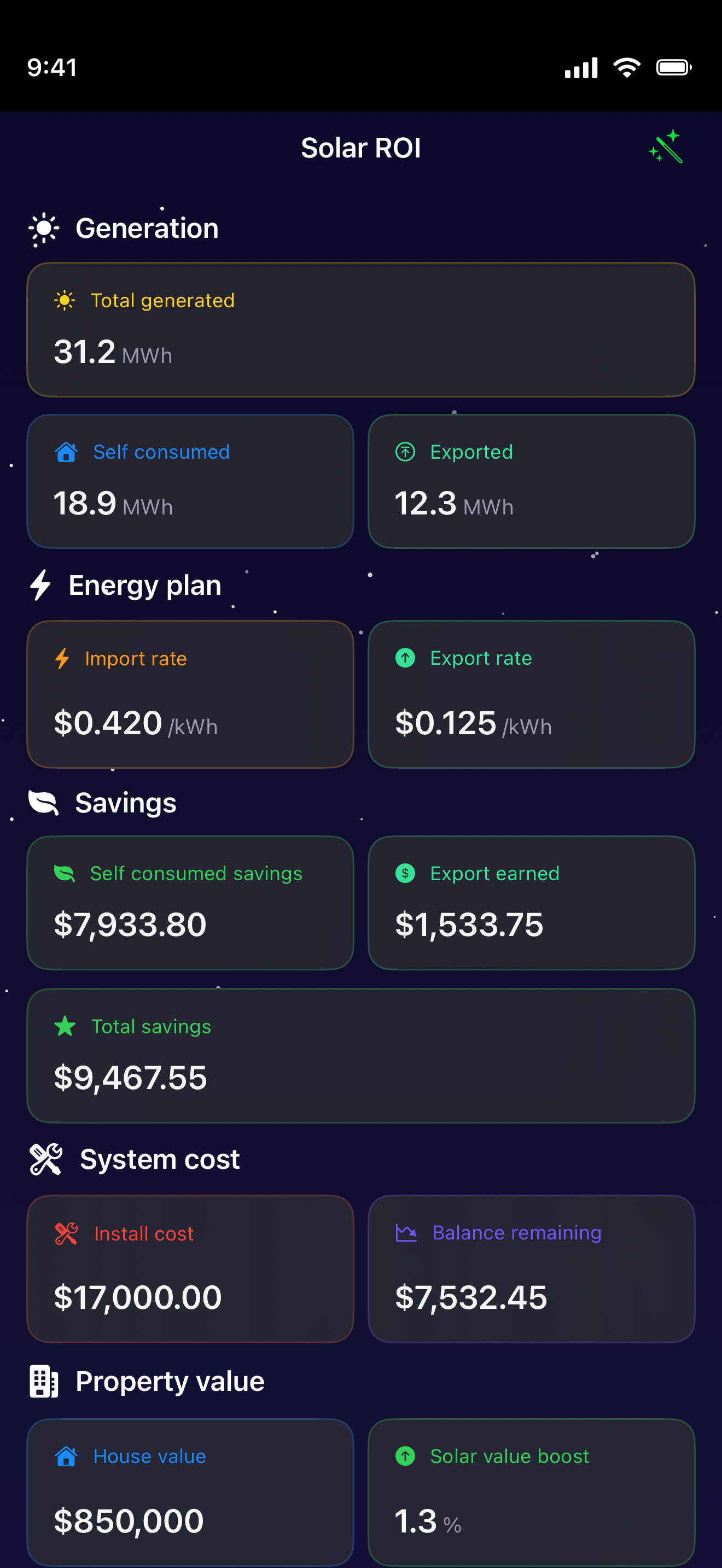
See the value your solar and battery deliver versus buying from the grid — and track your solar investment paying itself back over time.

Live Switchboard

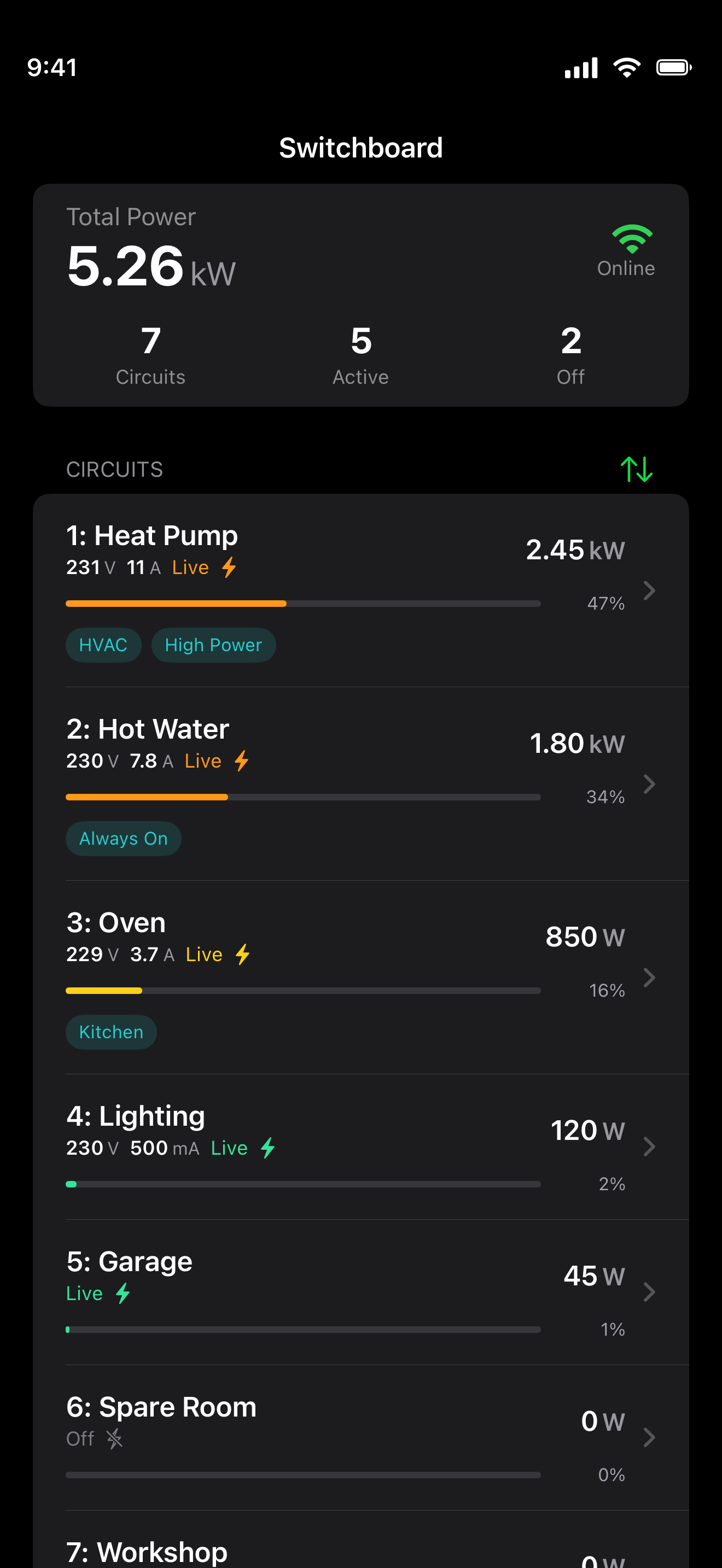
Every circuit's power, voltage, current, and share of the load — with your own custom circuit labels, synced across the app.

Per-Circuit Detail

See which circuits use the most over any period and attribute real dollar cost down to individual circuits, with MCB, RCD, arc-fault, and temperature status in plain language.

Automations

Rules driven by schedules, battery levels, and free-power windows. Start from a template, then fine-tune triggers, conditions, and actions — automatically set your battery reserve and mode, or suspend and resume circuits.

Feedback & Notifications

Stay in the loop with notifications for what matters, and vote on what we build next.

A closer look

See it in action

Real screens, real data — pulled straight from the app.
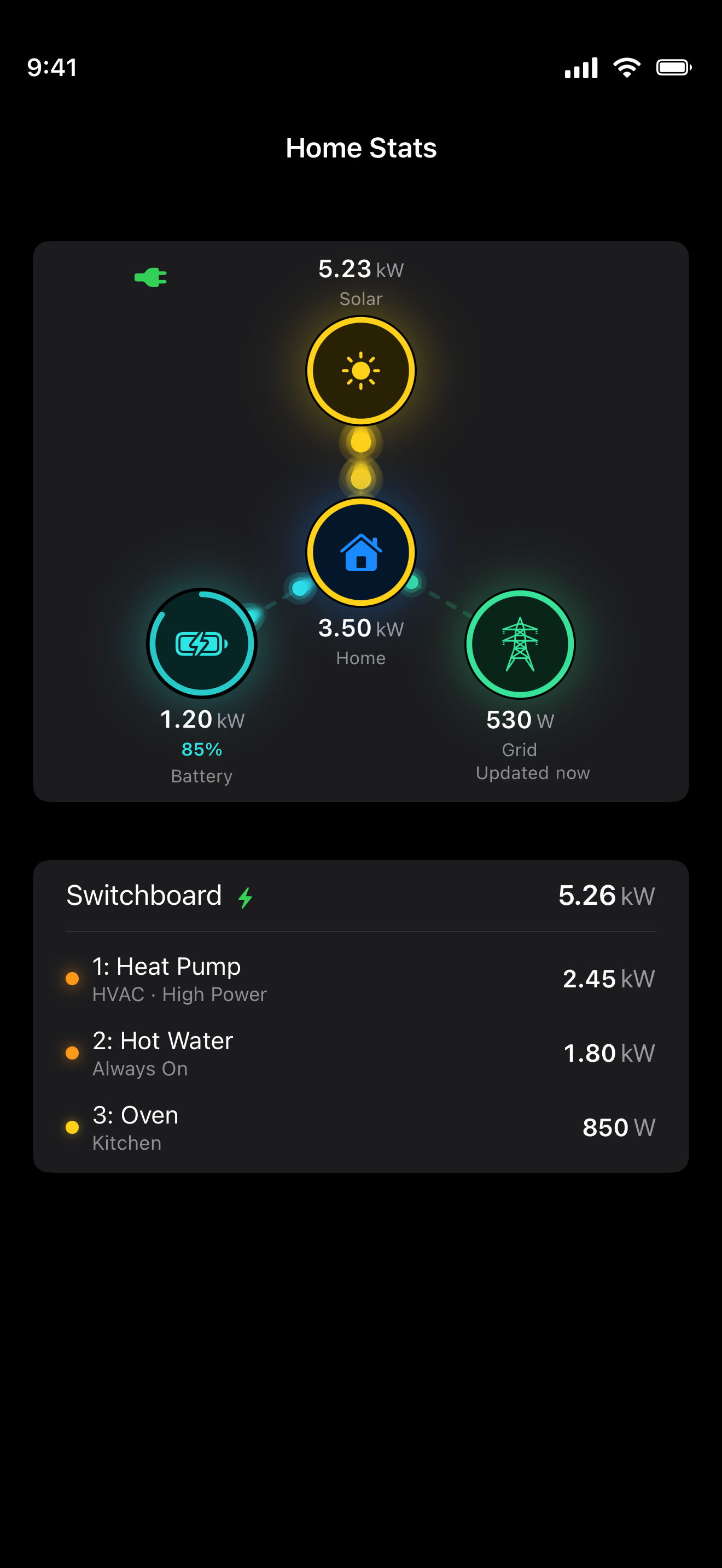
Home Stats screen with a live hub-and-spoke flow — 5.23 kW solar, 3.50 kW home, 1.20 kW battery at 85%, and 530 W to the grid — above a switchboard summary listing heat pump, hot water, and oven.
Home — live flow and your switchboard summary in one glance.
Energy History with a weekly Solar Generated bar chart and totals for solar generated, home consumed, grid imported and exported, and battery charged and discharged.
Energy History — where every kilowatt-hour came from.
Energy Costs for the day with a per-hour stacked chart and a breakdown of amortised solar and battery, peak and off-peak rates, daily charge, export credit, and savings.
Energy Costs — your spend itemised, bill versus true cost.
Solar ROI screen showing 31.2 MWh total generated, self-consumed and exported energy, import and export rates, total savings of $9,467, install cost, and balance remaining.
Solar ROI — the value your solar delivers, and its payback.
Switchboard live view with 5.26 kW total across 7 circuits, each showing live power, voltage, current, and share of the load — heat pump, hot water, oven, lighting and more.
Live Switchboard — every circuit's power, voltage, current, and share.
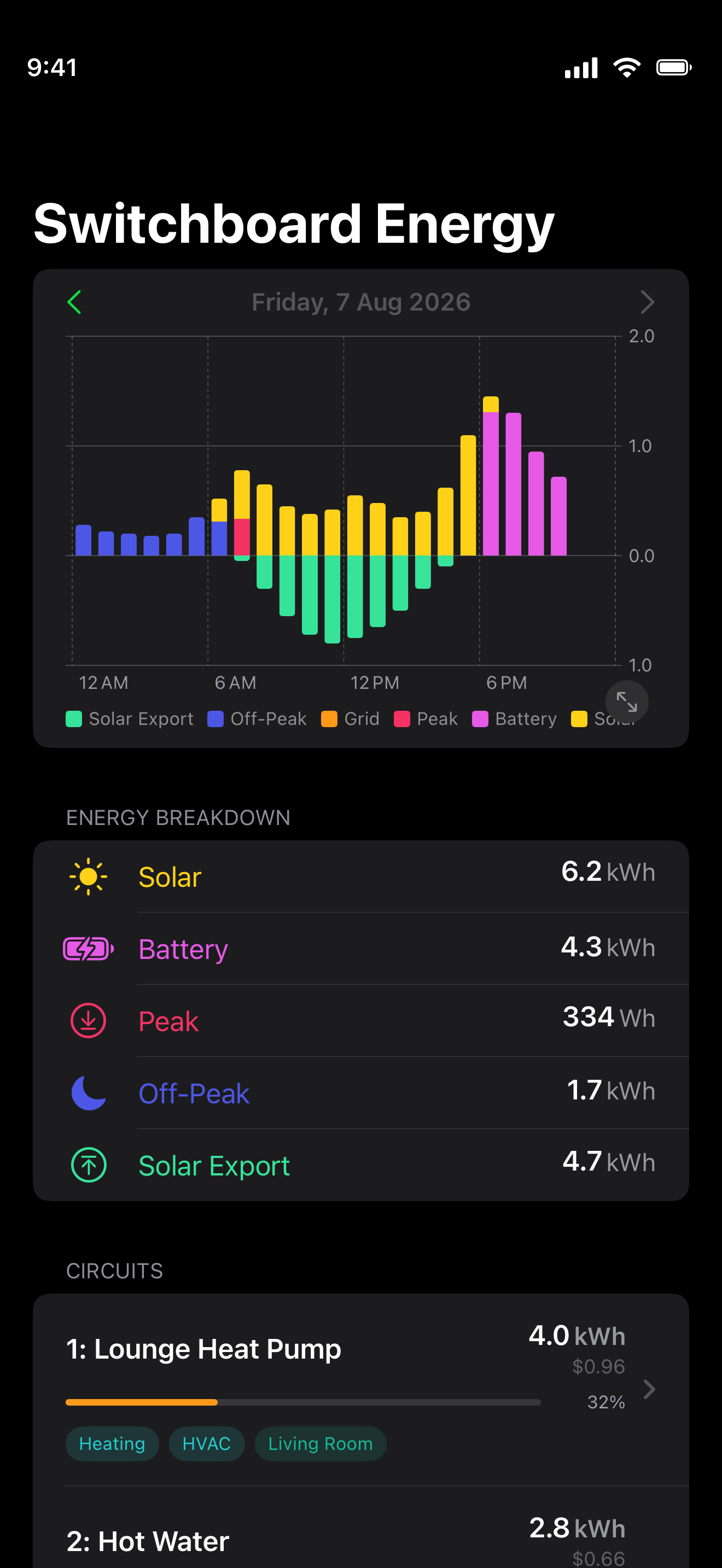
Switchboard Energy for the day with a stacked solar, battery, grid, and export chart, an energy breakdown, and a per-circuit list showing each circuit's energy and cost.
Per-Circuit Energy — which circuits use the most, and what they cost.
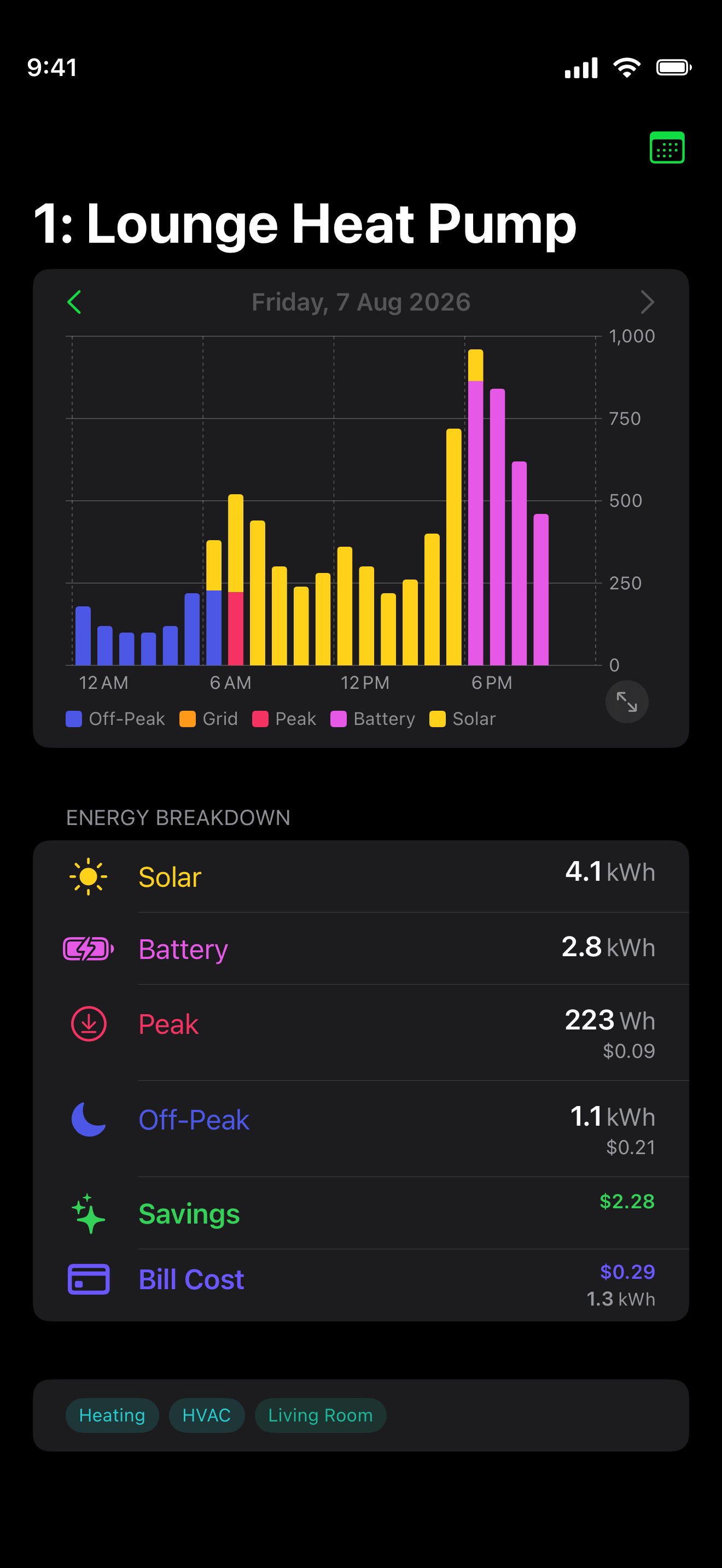
Heat Pump circuit drill-in with a daily off-peak, shoulder, and peak bar chart and an energy breakdown by rate band.
Subcircuit Drill-In — any circuit's own history by rate band.
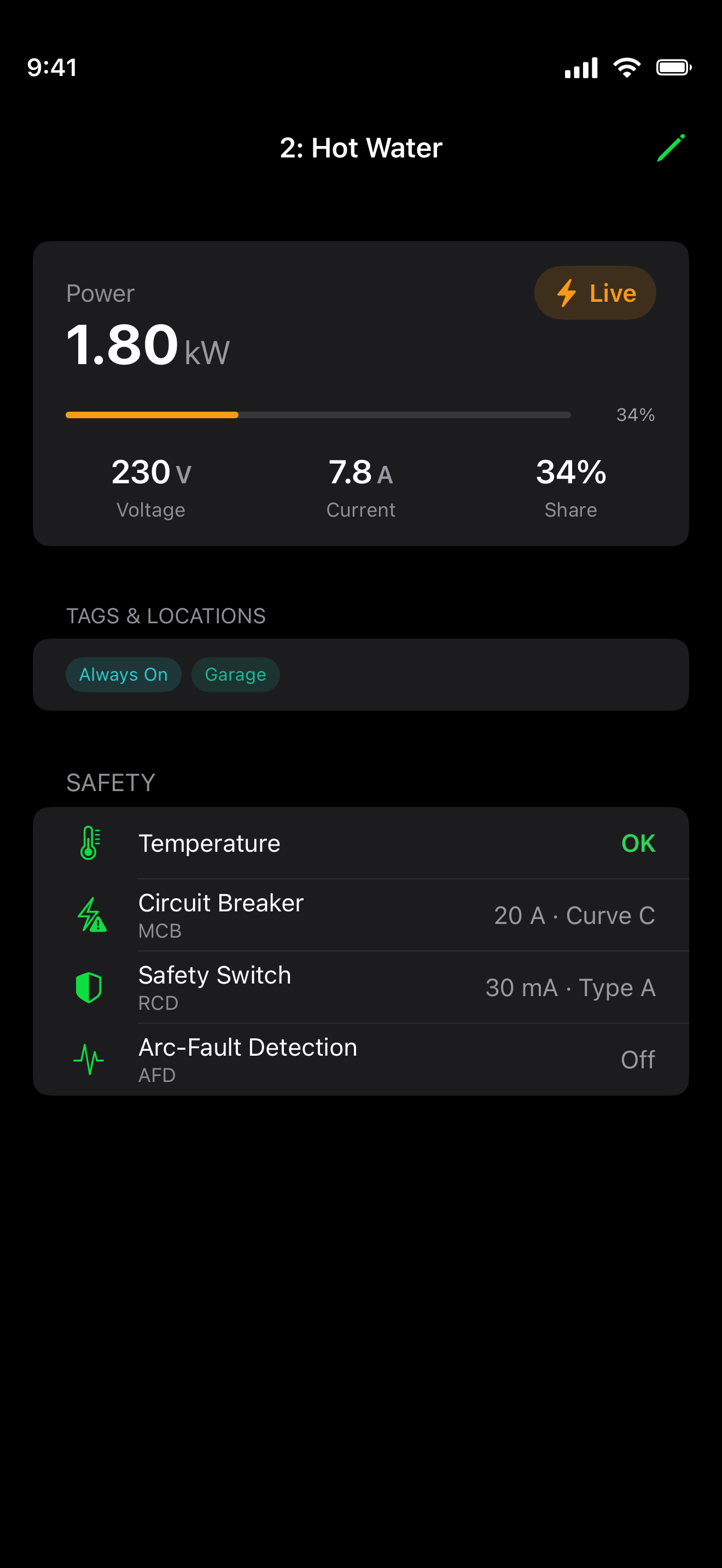
Hot Water circuit detail with 1.80 kW live power, voltage, current, and share, plus a safety section showing temperature, MCB circuit breaker, RCD safety switch, and arc-fault detection status.
Circuit Safety — MCB, RCD, arc-fault, and temperature in plain language.
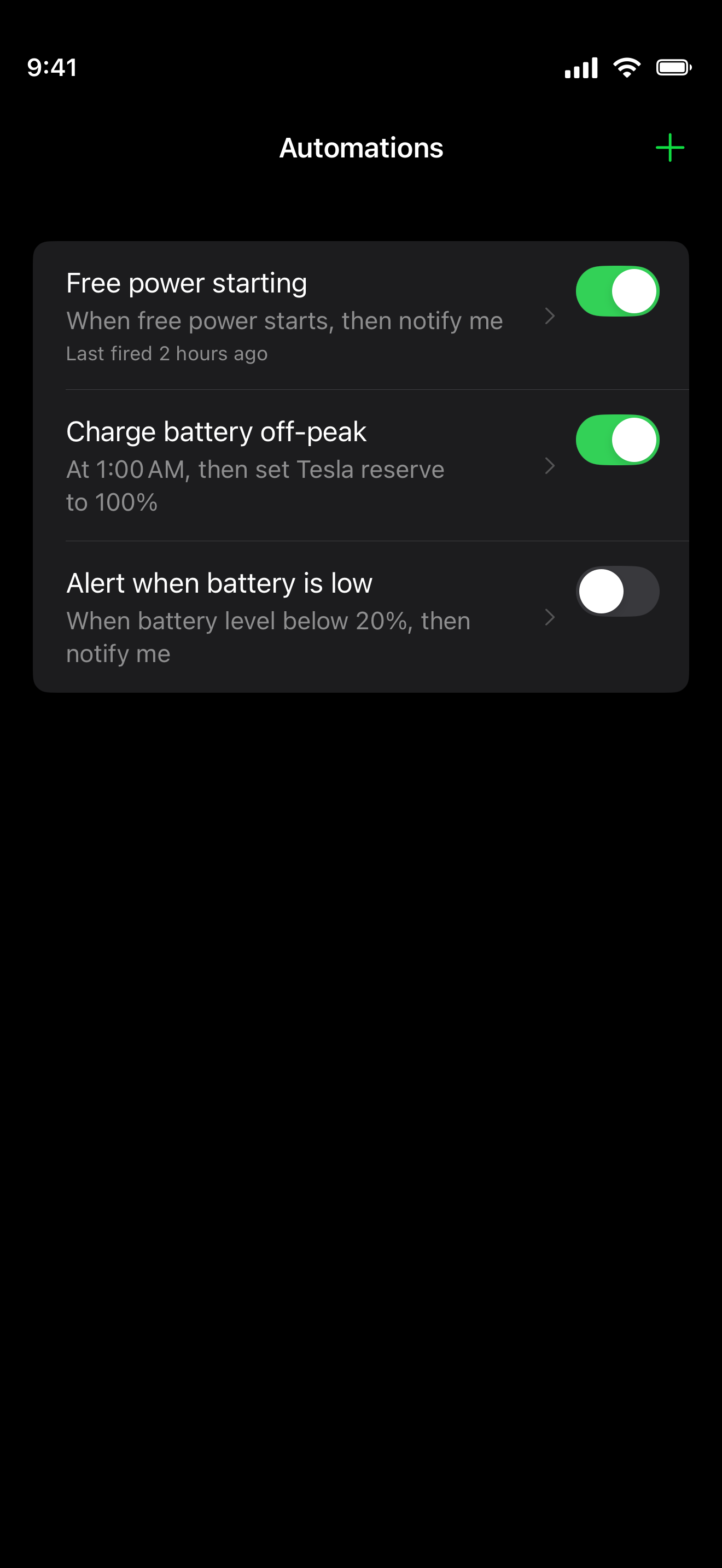
Automations list with rules for free power starting, charging the battery off-peak, and alerting when the battery is low, each with an enable toggle.
Automations — rules driven by schedules, battery levels, and free power.
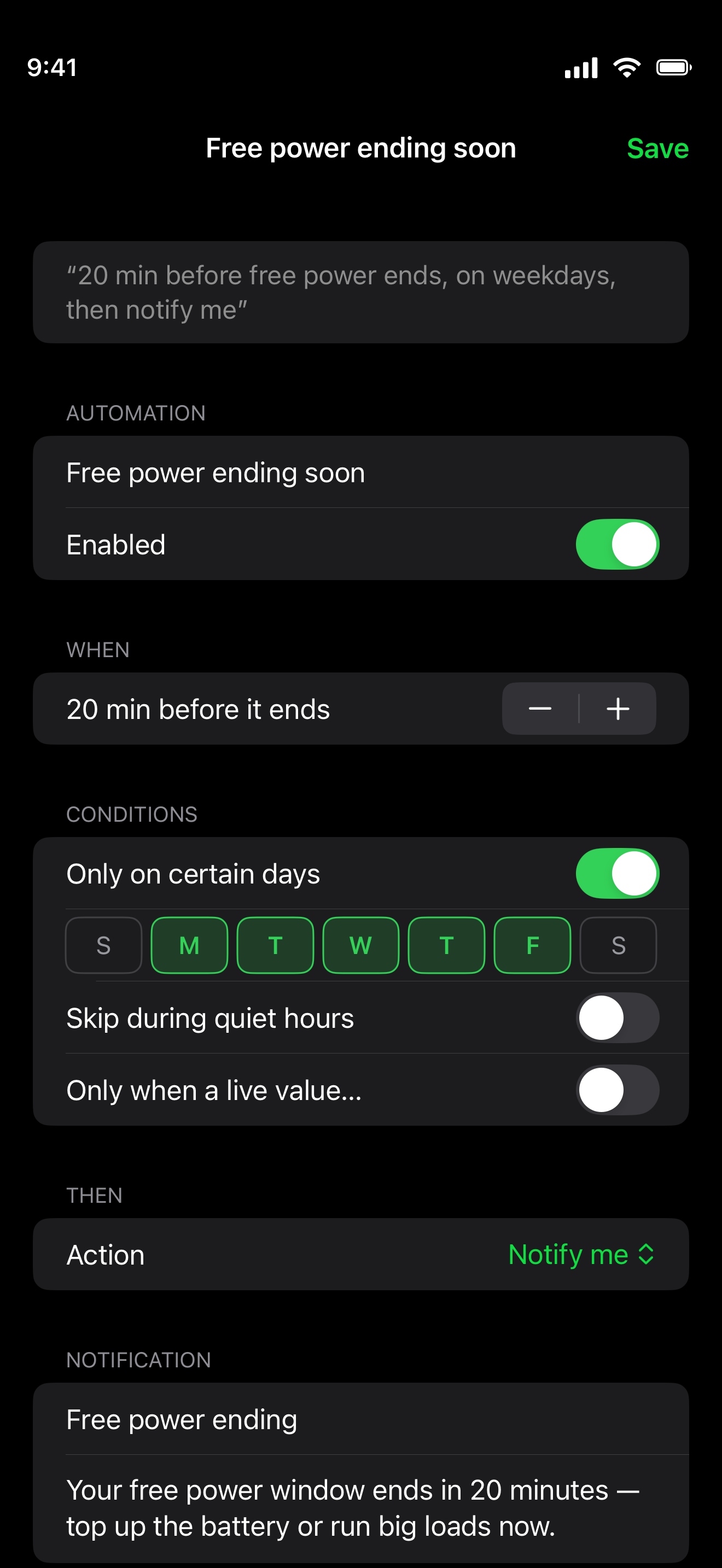
Automation editor for a 'Free power ending soon' rule with a when setting, conditions such as certain days and quiet hours, and an optional notification title and message.
Rule Builder — start from a template, then fine-tune every trigger.
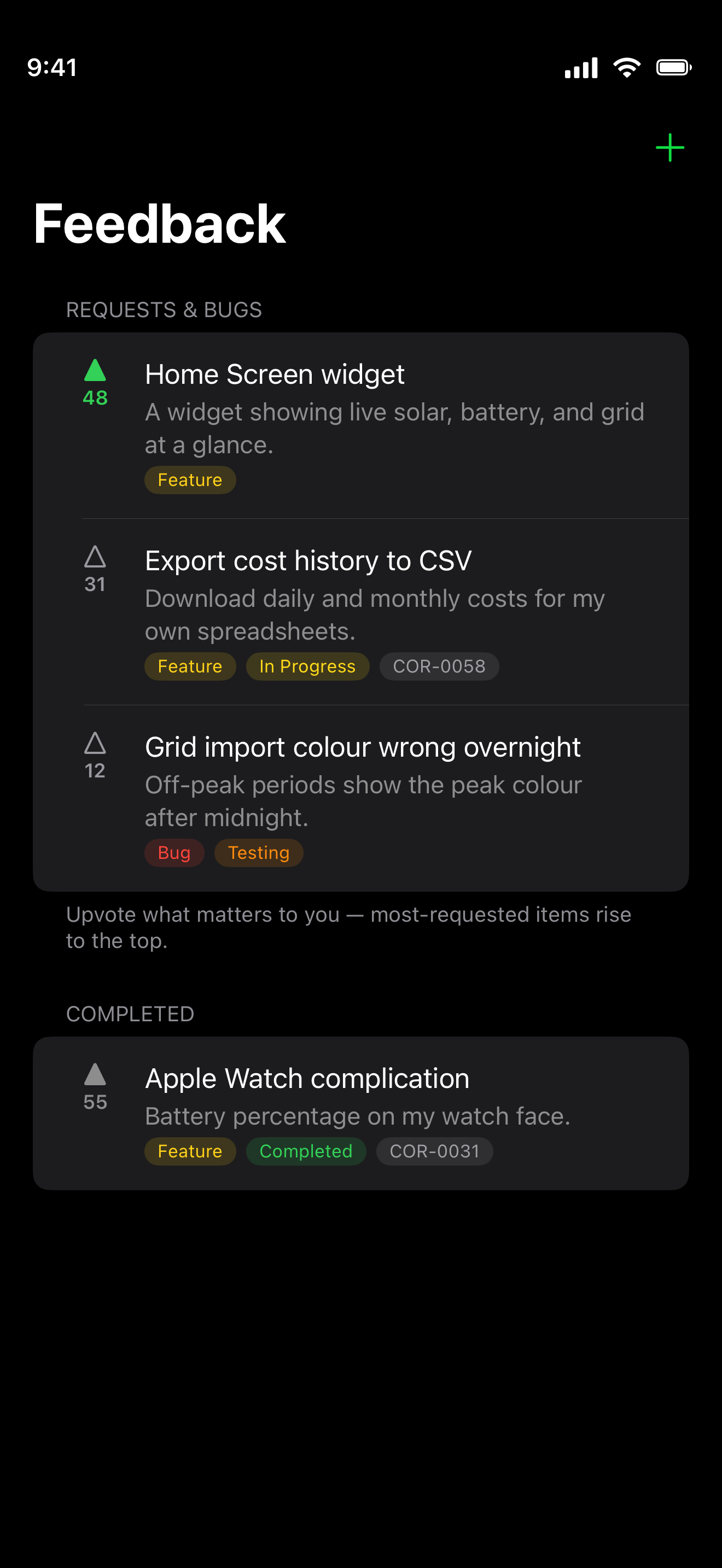
Feedback screen listing feature requests and bugs with vote counts and status labels, above a completed section, letting you vote on what gets built next.
Feedback — vote on what we build next, and get notified when it ships.

How every circuit's cost is worked out →

Planning a system? See the full Projection screen →

Supported Sources

Corrente connects to the systems you already have — and more are on the way.

Tesla Powerwall

Live status, energy history, battery state of charge, and Storm Mode.

Basis Switchboard

Live circuit power, switchboard and subcircuit history, and your Basis retail plan.

In development

Sigenergy support is being built

Work has started on bringing Sigenergy systems into Corrente — live power, battery state, and the same per-circuit cost allocation the rest of the app runs on.

If you have a Sigenergy system and would like to help guide how it works, get in touch. Real installations and real feedback are what make the integration worth having.

What's next

Corrente is evolving fast. See what we're building, what's in progress, and what's planned — from new sources to deeper cost insights.

View the roadmap →

Your data stays yours

Corrente reads energy data only from the systems you connect, using each service's own sign-in. Your energy data is anonymised, tied only to your Corrente account — never sold, and never used for advertising.

Read the privacy policy →

Now in beta

Corrente is currently in TestFlight beta and free to try while testing. Join the beta. Try it out and let us know what you think.